
A Smarter Way to Add CV Sections
Adding extra sections to your CV is now faster and much more intuitive.

- Our customers have been hired by : *Foot Note
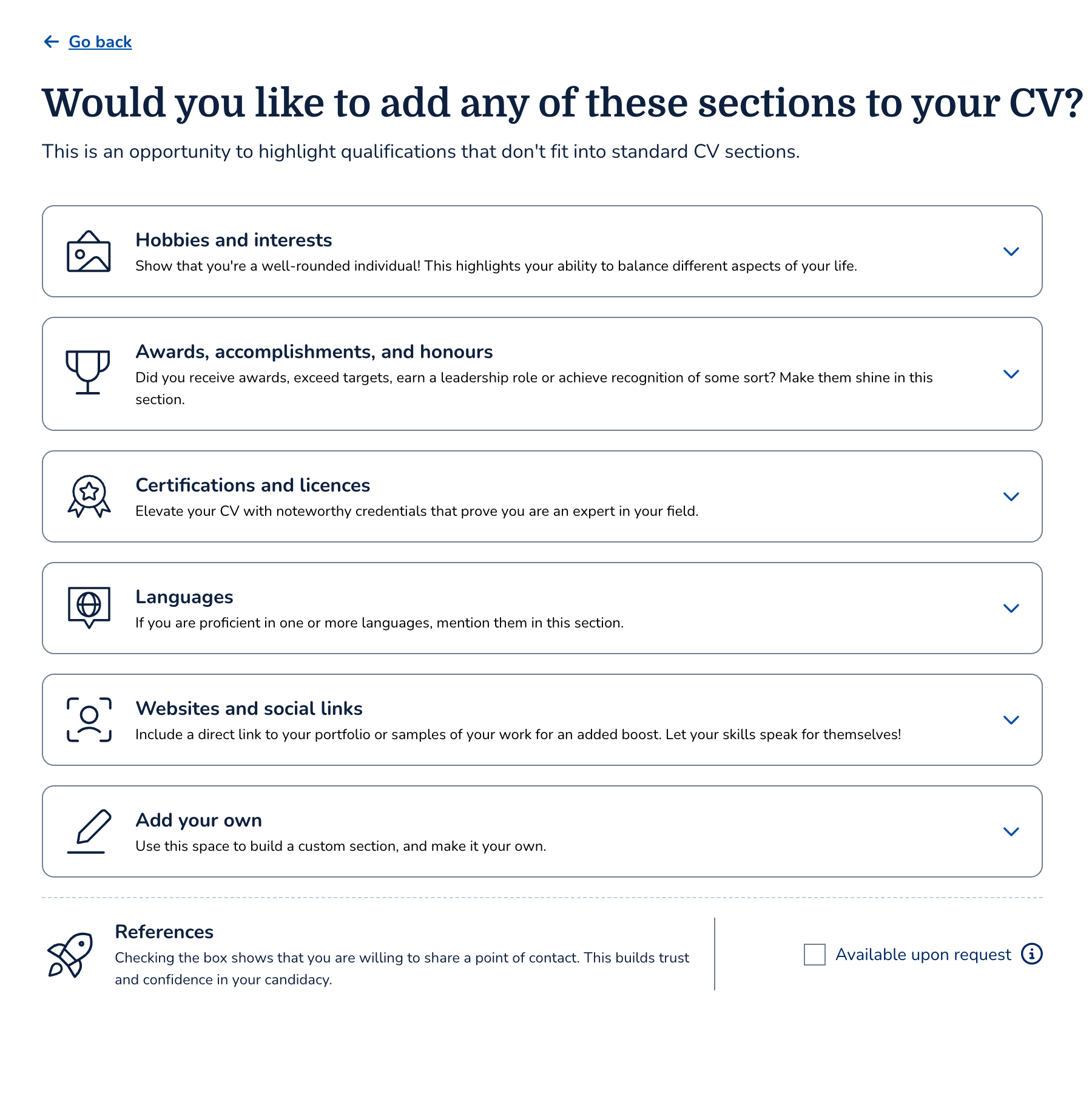
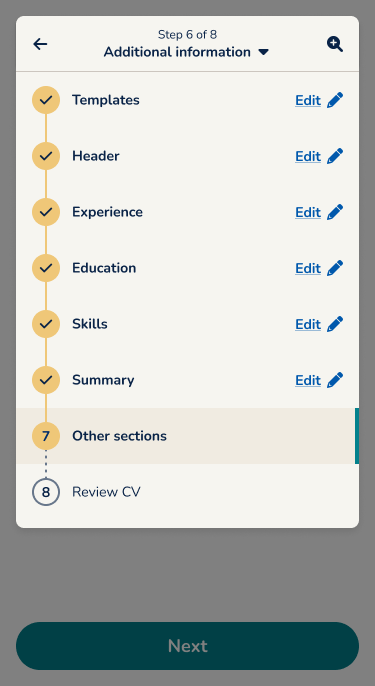
Our June 2026 update redesigns the Additional Sections experience across the CV builder. Instead of selecting a section first and editing it later, users can now jump straight into editing with a single tap. The update also improves the experience for CV uploads by making parsed sections visible and editable from the start.
What’s new
Here are the changes for this update:
Direct section editing
We’ve removed the old checkbox-based flow in favour of a more natural editing experience.
- Simply tap a section to start adding content immediately.
- There’s no longer a separate “select first, edit later” step.
- The new flow reduces confusion and speeds up CV creation.
Visible parsed sections for CV uploads
Users who upload an existing CV can now see the sections that were imported into the builder.
- Parsed sections are displayed automatically on the Additional Sections page.
- Users can quickly review imported information instead of wondering whether it was transferred.
- The upload experience feels more transparent and easier to trust.
Smoother Navigation
Moving between additional sections is now much more user-friendly.
- Closing a subsection, such as Languages, always returns users to the main Additional Sections page.
- The navigation loop keeps users orientated throughout the editing process.
- Fewer unnecessary taps make the overall workflow faster.
Improved “add your own” experience
Creating custom sections is smoother, especially on mobile devices.
- The custom section flow has been redesigned to reduce mistakes.
- Users are less likely to enter CV content into the section title field.
Better languages section
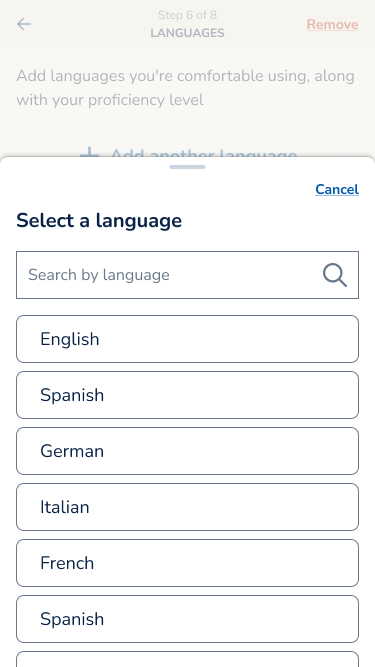
The Languages section has received a dedicated usability update.
- The interface is now optimised for smaller mobile screens.
- Adding language proficiency is quicker and easier.
- The layout better matches the rest of the editing experience.
Why we made this update
The previous Additional Sections flow often created unnecessary friction. Users had to select a section before they could edit it, while uploaded CVs hid imported sections entirely. This made the final stages of CV creation slower and more confusing than they needed to be.
With this redesign, the builder behaves more like users expect. Every section is immediately actionable, imported content is visible, and navigation feels more consistent. The result is a faster, clearer editing experience with fewer mistakes.