How to Write a CV (UK) in 2026 + CV Examples
Secure more interviews and advance your career. Learn how to make a cv with our expert step-by-step guide and professional templates.

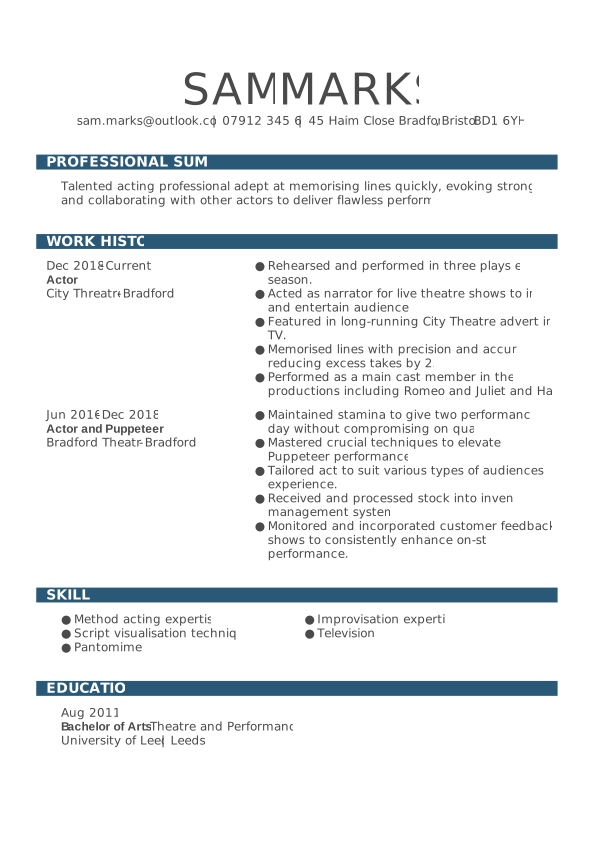
What is a CV (and why it matters)
A CV, or curriculum vitae, is more than a list of your jobs and qualifications. It’s your personal marketing document — the first impression you make on employers.
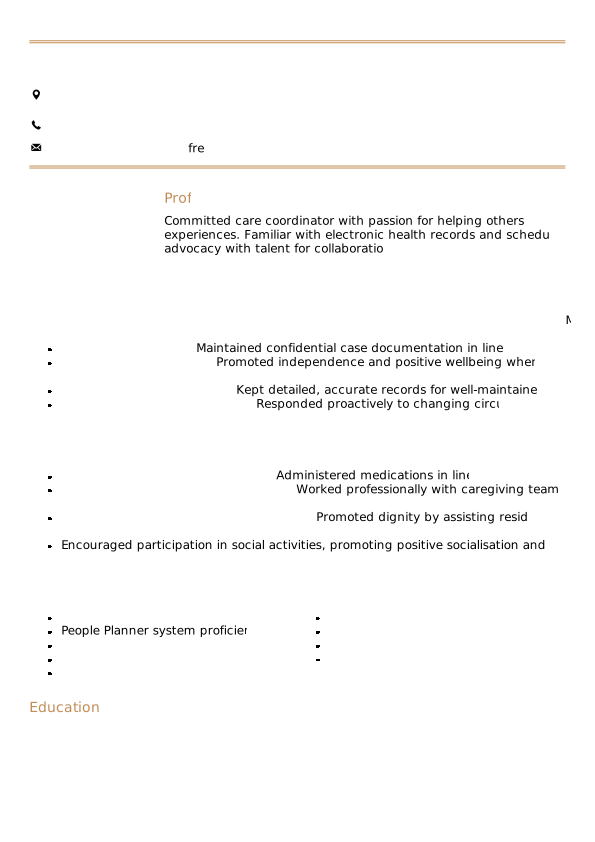
How to write a CV for UK jobs: Step-by-step guide
A well-written CV tells employers exactly what they need to know about you — your experience, your strengths, and what makes you a strong candidate. It’s not about using fancy words or cramming in every detail; it’s about presenting your skills and achievements in a clear, easy-to-read way that matches the job requirements.
In the UK, most CVs follow a standard format. The good news? You can write a professional, interview-winning CV in just a few simple steps.
Tip: Before you start writing, have a look at a few successful CV examples in your industry.
Here are the core sections every UK CV should include:
- Contact details
- CV summary
- Work experience
- Skills
- Education/qualifications
Add your contact information
Start your CV with your contact details at the top of the page. This makes it easy for employers to reach you and instantly identify your application.
Include:
- Full name
- City (no need for a full address)
- Phone number
- Professional email address
- LinkedIn profile or online portfolio (optional but recommended)
Example:
Sophie Andrews
Manchester
07123 456 789
sophie.andrews@email.com, linkedin.com/in/sophieandrews
Pro tip: Use a professional-sounding email address — ideally your name. Avoid using nicknames or outdated accounts.
Write a strong personal statement
The personal statement (also called a CV profile) sits at the top of your CV and gives employers a quick snapshot of who you are and what you offer. It should be 3–4 sentences that highlight your experience, skills, and career goals.
Keep it concise, confident and tailored to the job you’re applying for.
Example:
“Enthusiastic marketing graduate with hands-on experience in social media and content creation. Skilled in analytics and campaign planning, with a passion for driving brand engagement. Eager to bring creativity and strategic thinking to a dynamic marketing team.”
Pro tip: Avoid generic phrases like hard-working or motivated. Instead, describe what makes you valuable and specific to the role.
Showcase your work experience
This is the heart of your CV. List your work experience in reverse chronological order, starting with the most recent role.
For each job, include:
- Job title
- Employer name
- Location
- Dates of employment
- 3–5 bullet points describing key responsibilities and achievements
When deciding how much experience to include, aim for:
- The last 10–15 years of work history, or
- Your most recent three to five roles — whichever covers your most relevant experience.
If you’ve changed careers or have earlier roles that are still relevant, include them briefly. Lastly, remember to focus on achievements and measurable results, not just duties.Example:
Customer Service Advisor
BT Group, Leeds
June 2021 – Present
- Managed high-volume customer queries, achieving a 95% satisfaction rating.
- Introduced a new feedback process that reduced response time by 20%.
- Trained and supported three new team members in handling escalations.
- Collaborated with the technical support department to resolve complex customer issues.
- Consistently exceeded monthly performance targets, averaging 110% of KPI goals over 12 consecutive months.
Pro tip: Use strong action verbs — such as delivered, improved, achieved, managed, led — and include numbers where possible to show your impact.
Highlight your skills
Your skills section shows employers what you can do — both technically and personally. Include 6–10 key skills that match the job description. Keep the skills short and list them in bullet points.
Divide them into two types:
- Hard skills: Technical or job-specific abilities (e.g., Excel, coding, SEO, bookkeeping).
- Soft skills: Personal traits that help you succeed (e.g., teamwork, communication, problem-solving).
Example skills:
- Microsoft Office Suite
- Time management
- Data analysis
- Customer service
- Adaptability
- Communication
- Project management
- Attention to detail
- Problem-solving
Include your education
Education in a CV matters, especially for early-career applicants or graduates.
List your most recent qualifications first, including the:
- Degree or qualification
- Institution name
- Year of completion
Example:
BA (Hons) Business Management
University of Birmingham – 2023
A Levels: English Literature, Business, Psychology – 2020
Pro tip: If you don’t have much work experience, move your education section above work history to highlight your academic background. You can also use a skills-based CV format.
Choose additional sections (optional but valuable)
Enhance your CV with extra sections that show your personality, achievements and versatility.
Choose the ones that add genuine value to your application:
- Languages: Spanish (Fluent), French (Intermediate)
- Certifications: Google Analytics Certified, 2024
- Volunteering: Mentor for The Prince’s Trust Youth Programme
- Awards: Employee of the Month, 2023
- Hobbies/Interests: Travel writing, photography, cycling
Pro tip: Only include hobbies or personal interests if this is your first CV or you lack work experience. Choose ones that show relevant traits, such as teamwork, creativity, or commitment, and keep the list brief.
Optimise your CV for ATS
Most large UK employers use Applicant Tracking Systems (ATS) to filter applications automatically before they reach a recruiter. These systems scan your CV for keywords, structure, and formatting — so presentation matters as much as content.
To make sure your CV gets through:
- Use standard headings like Work Experience, Education, and Skills.
- Avoid images, tables, or complex layouts that ATS software may not read correctly.
- Include relevant keywords from the job advert naturally throughout your CV — especially in your skills and experience sections.
- Use a clean, professional CV template designed for ATS compatibility. A simple, text-based layout ensures your information is read accurately by both software and human reviewers.
CV templates: The easy way to write a professional CV
Once you’ve learned how to write a good CV, the next step is making it look professional and polished. Your layout and design can make the difference between being noticed and being overlooked. That’s where a CV template helps.
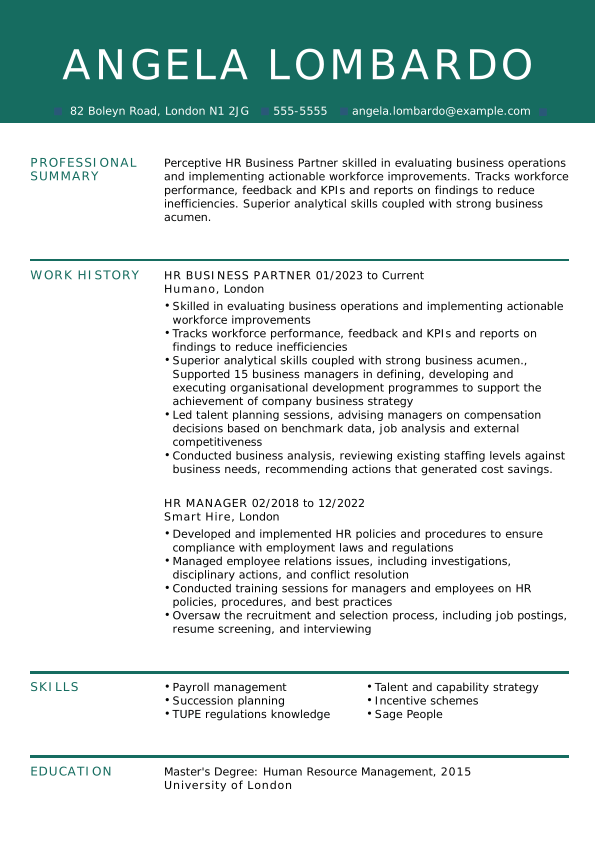
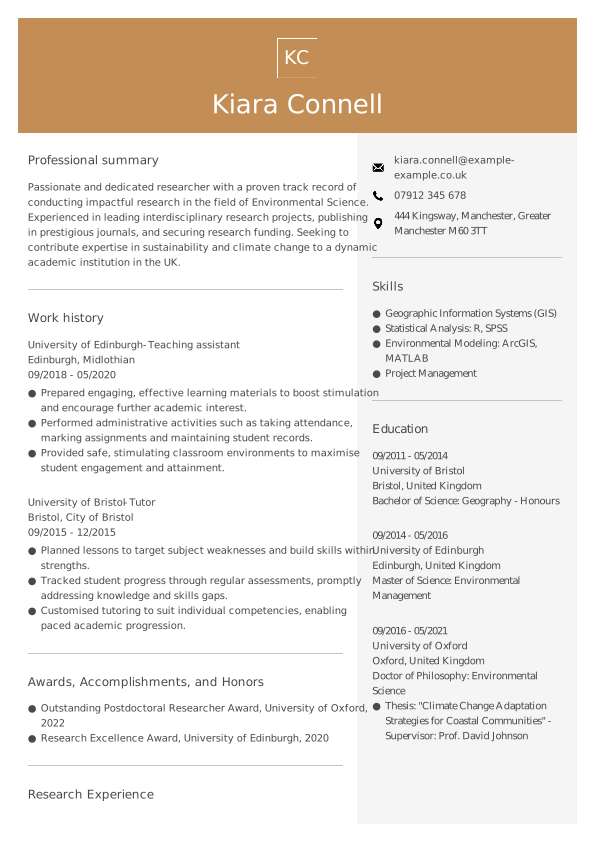
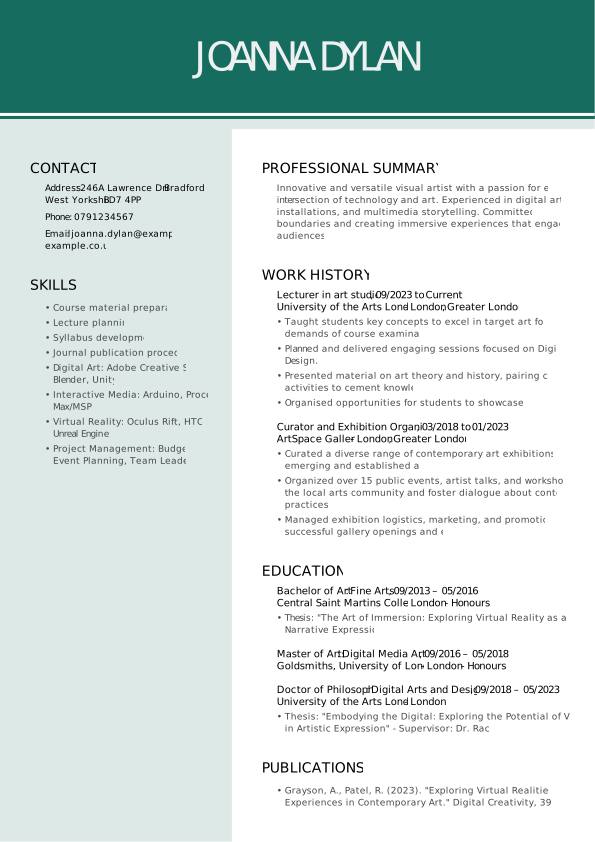
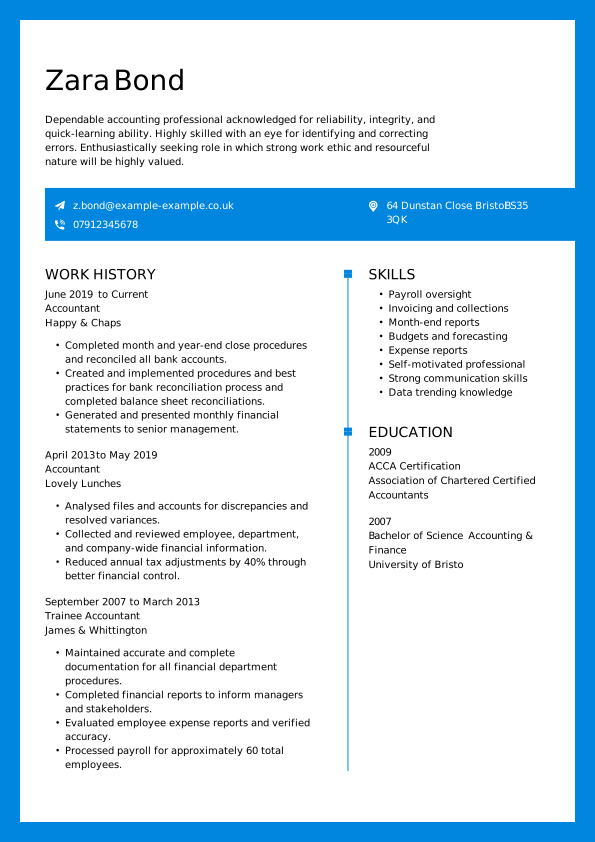
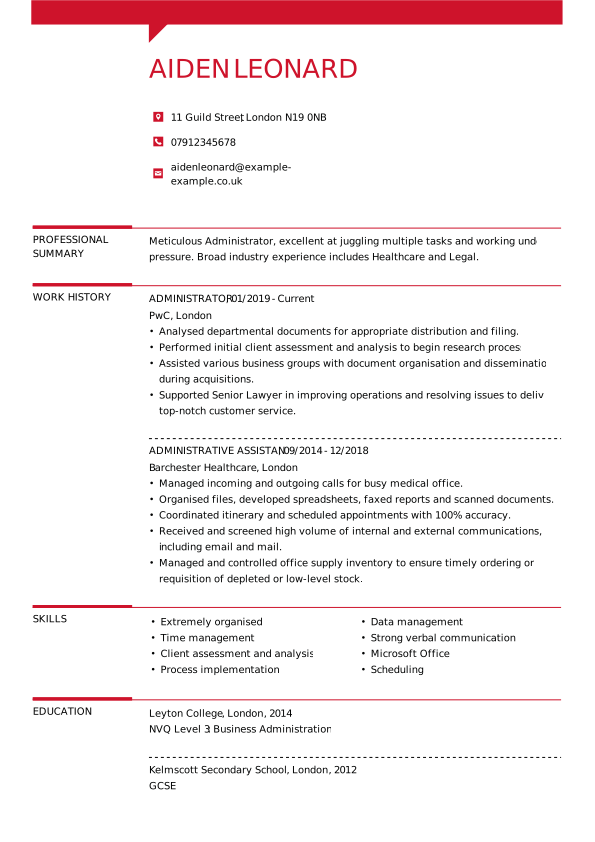
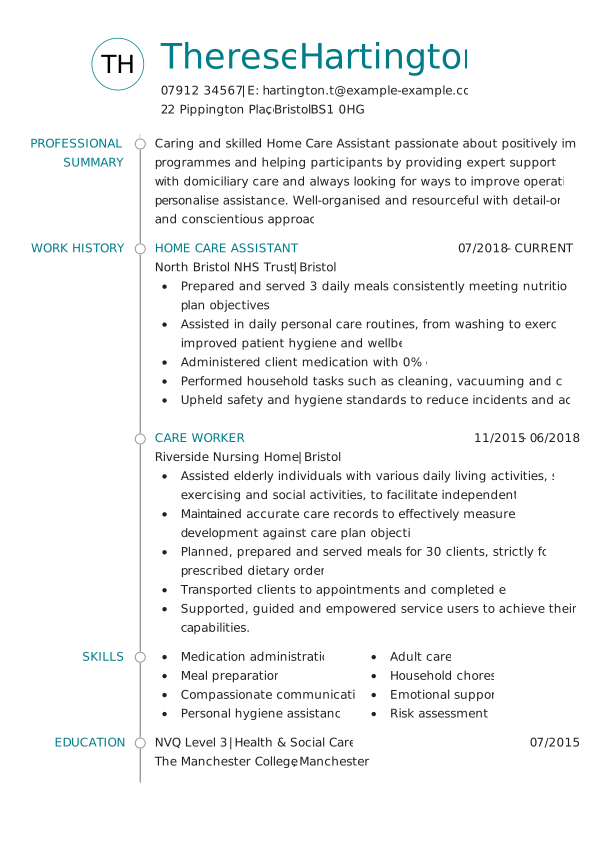
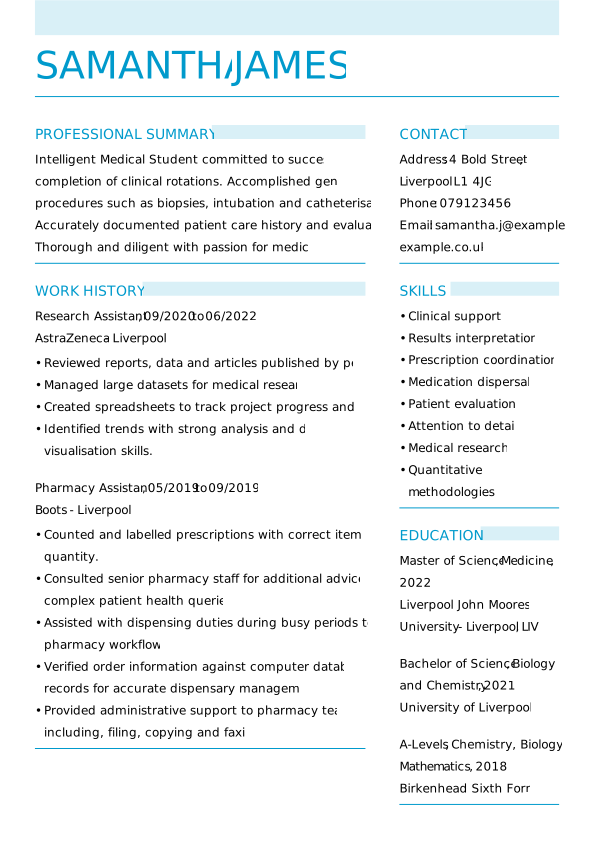
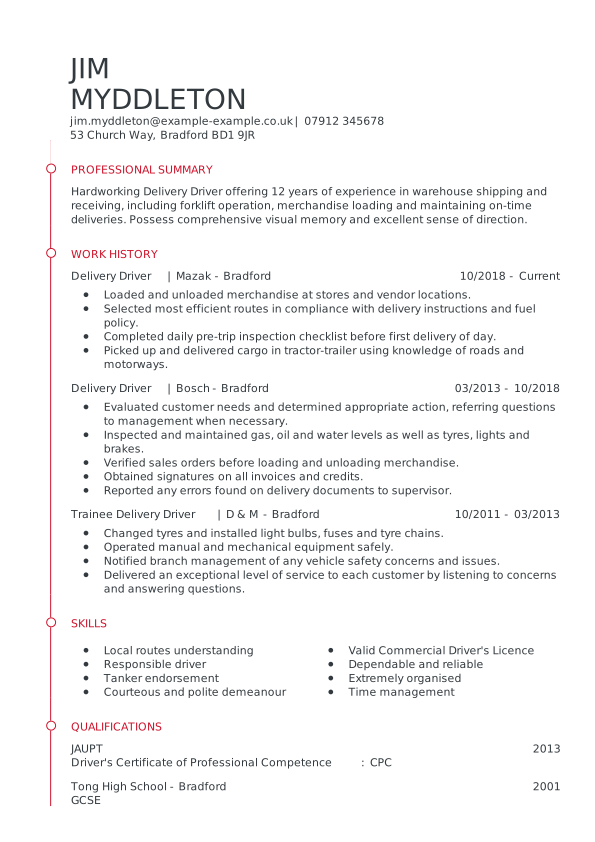
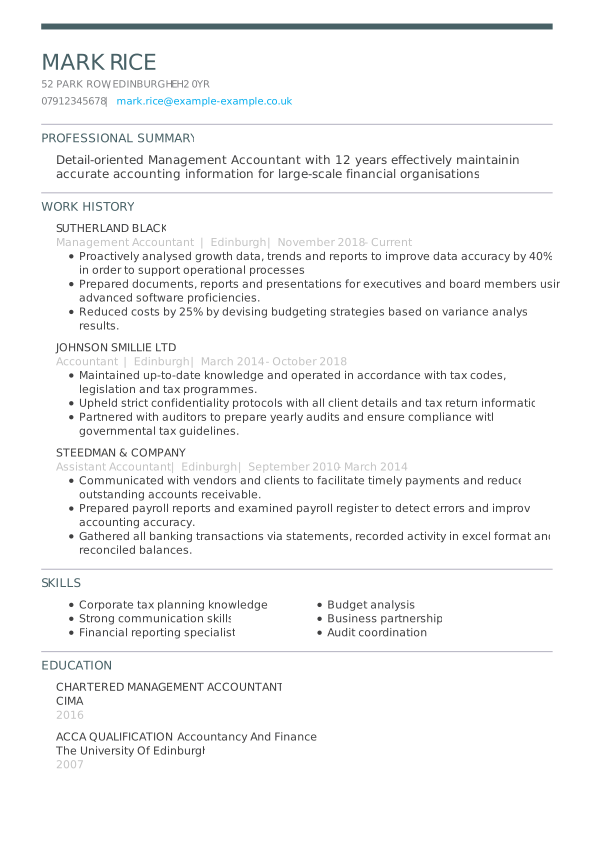
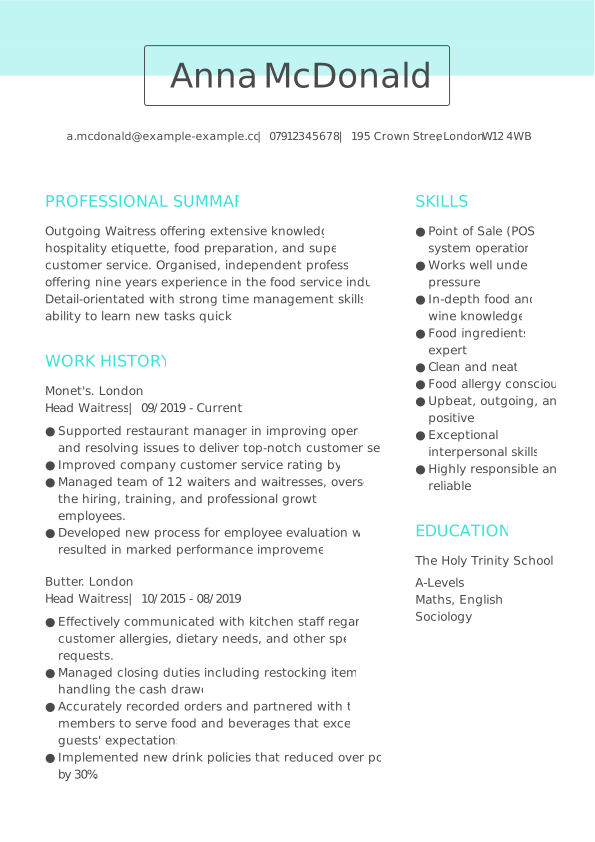
A CV template free to pick up gives you a ready-made structure that’s already formatted for success — saving you time and ensuring your content looks clean, organised, and recruiter-friendly.
Here’s how using a template makes the process easier and more effective:
- ATS-friendly design: Templates from My Perfect CV are built to meet UK recruiter standards and pass Applicant Tracking Systems (ATS) with ease.
- Professional appearance: Choose from modern, creative, or traditional designs that match your industry and style.
- Saves time: Pre-set sections for contact details, personal statement, skills, and experience mean you can focus on the writing, not the formatting.
- Expert content support: Each template includes pre-written examples tailored to your job title.
- Customisable and export-ready: Download your CV in PDF or Word format, ready to send to employers.
Common mistakes to avoid when writing a CV
Even the most capable candidates can lose opportunities because of minor but avoidable CV errors. Recruiters spend only a few seconds scanning each application, so every detail counts. Here are some of the most frequent mistakes — and how to avoid them:
Spelling or grammar mistakes
A single typo can make your CV appear rushed or careless. Always proofread thoroughly and use tools like Grammarly or Word’s spell checker to ensure accuracy.
Using the same CV for every job
Each role is different, so your CV should be too. Tailor your personal statement, skills, and achievements to match the requirements of each advert.
Writing long, dense paragraphs
Recruiters prefer concise bullet points that are easy to skim. Keep sentences short and focused on results.
Focusing on duties instead of achievements
Don’t just list what you did — explain the impact. Replace “responsible for managing social media” with “increased social media engagement by 30% through targeted campaigns.”
Poor layout and formatting
A cluttered design or inconsistent spacing can distract from your content. Use a simple, professional layout with clear section headings and white space for readability.
Including unnecessary personal details
Avoid adding your photo, date of birth, or marital status. These are not required in the UK and may even work against you.
Overloading your CV with too much information
Keep your CV to one or two pages. Focus on the most relevant experience and achievements — quality matters more than quantity.
Writing a CV for different roles
Writing a great CV isn’t a one-size-fits-all process. Your approach should reflect your background, experience level, and the type of job you’re applying for.

If you’re looking for tailored advice, explore our expert guides below for step-by-step tips on writing CVs for specific roles and situations:
- How to write a CV with No Work Experience
- How to write a CV as a Student
- How to write a CV for a Customer Service Job
- How to write a CV for Your First Job
- How to write a CV as a Teenager
Pro tip: Each profession values different strengths. Tailoring your CV for your industry can make a big difference — but the core writing principles in this guide still apply to every role.
What should a CV look like?
Once you’ve perfected your content, your CV’s presentation needs to reflect the same level of professionalism. A well-designed layout helps employers find the correct information quickly and leaves a strong first impression.
A good UK CV should:
- Use a clean, easy-to-read layout with clear headings and plenty of white space.
- Be one to two pages long, depending on your experience.
- Use a professional font such as Arial or Calibri, size 10–12.
- Keep colour subtle — a touch of contrast is fine, but avoid bright designs.
- Be saved as a PDF to preserve formatting when you send it.
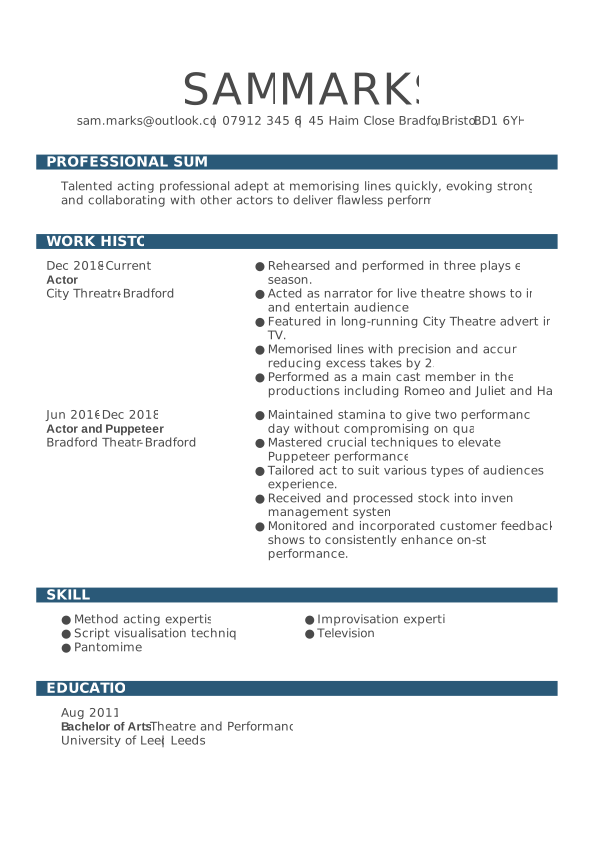
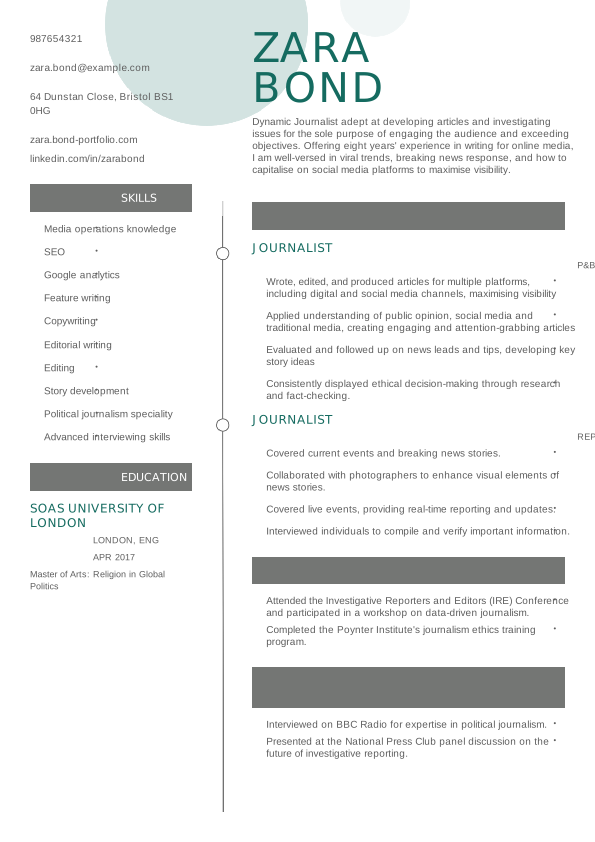
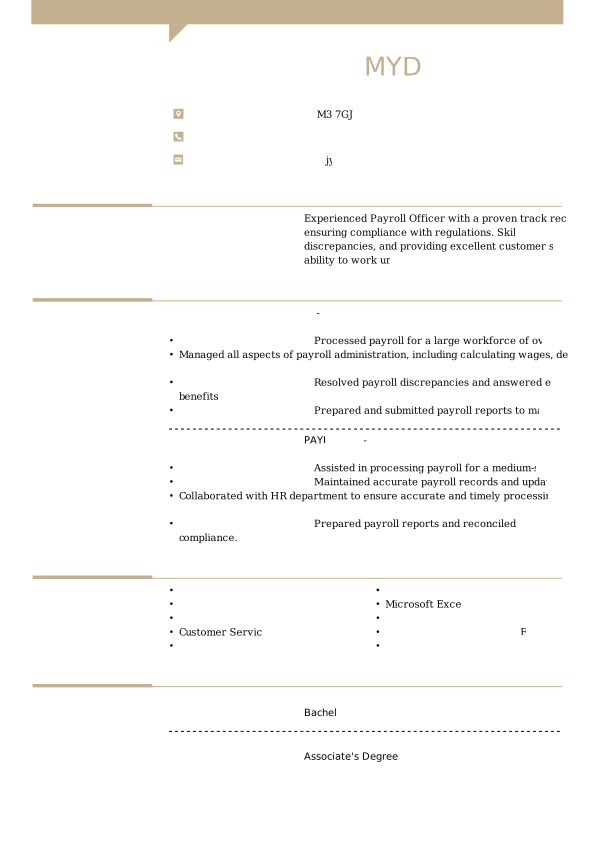
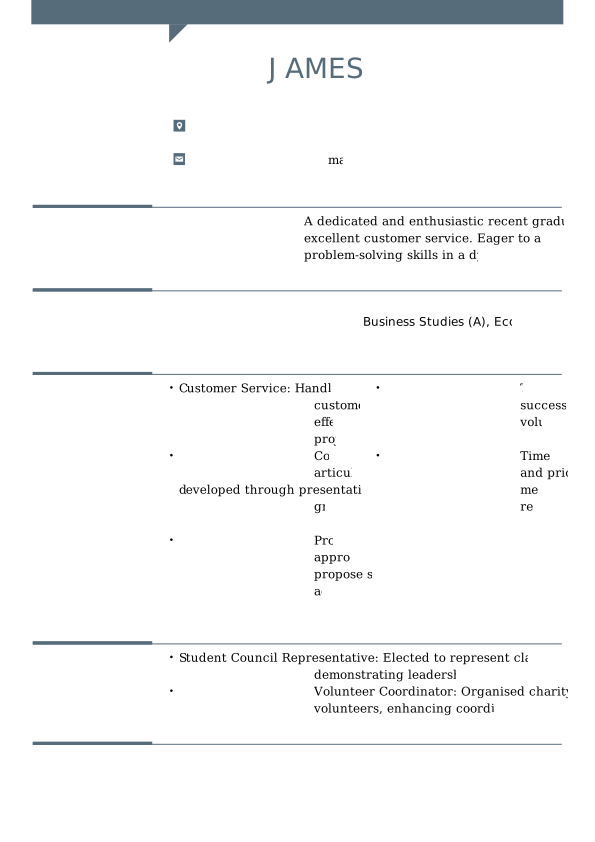
Now that you know what a great CV looks like, explore the examples below to see how these principles work in practice.
Should you use AI to write a CV?
The short answer is yes — if you use it wisely.
AI can be a helpful tool when used responsibly, but it shouldn’t replace you in the writing process. Recruiters are increasingly aware of AI-generated content, and many prefer applicants who demonstrate both initiative and authenticity.
Before you use AI, check how the employer feels about it. Some organisations encourage the use of AI, while others specifically ask applicants not to use it.
Smart ways to use AI when writing your CV
AI can be extremely useful for:
- Conducting research into job descriptions and industry language.
- Helping you structure your CV clearly.
- Suggesting strong action verbs and phrasing for your achievements.
- Using AI-generated templates to speed up formatting.
- Proofreading your final document for grammar and tone.
When not to rely on AI
Avoid using AI to:
- Write your entire CV or personal statement from scratch.
- Invent or exaggerate your experience or skills.
- Copy and paste generic AI output without editing — it’s easy for recruiters to spot.
Your CV needs to sound like you. Employers value honesty, self-awareness, and individuality. A CV that reads as robotic can make the wrong impression.
The most effective CVs combine AI technology with human input. My Perfect CV helps you strike that balance, offering AI-powered guidance and expert-reviewed CV templates that let you write confidently, efficiently, and in your own voice. Alternatively, you can streamline the CV writing process by using a CV maker app, which guides you through each section step by step.
Key takeaways: How to write a CV
Start strong with a personal statement. Open with a clear summary of who you are, what you offer, and what role you’re aiming for.
Structure your content logically. Follow the UK format — contact details, profile, experience, education, skills, then extras like languages or certificates.
Tailor your CV for every job. Reflect the language, priorities, and skills from each job advert..
Keep it short. Aim for one page if you’re early in your career, or two if you have more experience.
Use AI wisely. Let it help with structure and phrasing — but make sure the content sounds like you.
FAQ: How to write a CV
How to write a good CV for UK job applications
When writing a CV for the UK market, start with a clear headline with your contact details. Unlike in some other countries, there’s no need to include a photo of yourself or personal details such as your age or marital status.
Proceed to write a brief summary of your work experience and career goals, followed by your education. Next, outline your work experience by detailing previous roles, dates of employment, key responsibilities, and notable achievements. Highlight your skills, including work-related skills such as knowledge of software programs or foreign languages.
It’s also important to keep your CV neat and clear, using simple and legible fonts and clear headings and paragraphs. Try to tailor your CV to the job advert you are applying for so that you highlight your skills and experience to the job requirements.
How to write a good CV with no work experience
When creating a CV with no work experience, you should focus on your strengths, skills, and potential.
- Start with a strong personal statement that highlights your key qualities, interests, and career goals.
- Focus on your education:
- List your degrees or qualifications
- Include relevant coursework or academic projects that show off your skills and knowledge
- Add volunteer work or internships, even if they aren’t directly related to the role. They can still show useful experience like teamwork, organisation, or communication.
- Include extracurricular activities or hobbies that demonstrate valuable skills:
- Leadership (e.g. captain of a sports team)
- Teamwork (e.g. group projects or clubs)
- Initiative (e.g. running a blog or tutoring)
- Highlight transferable skills, such as:
- Communication
- Problem-solving
- Time management
- Digital literacy
- Keep your CV clear and well-organised:
- Use bullet points
- Stick to a simple layout with easy-to-read fonts
- Tailor your CV to the job advert. Show how your skills and experiences match the employer’s needs, even if you haven’t held a formal job before.
Be honest about your level of experience, but focus on your enthusiasm, willingness to learn, and the strengths you bring to the role.
How to write a good CV as a student
Writing a CV as a student is much like writing one without formal work experience. A great way to begin is by choosing a professional CV template to guide your layout.
Start with your name and contact details clearly at the top.
Write a short personal statement that outlines:
- Your key strengths and interests
- Career goals
- Relevant coursework or extracurricular activities
Focus on your education:
- List your degree, qualifications, and predicted or achieved grades
- Mention relevant coursework, projects, or research that shows off your knowledge and skills
- Highlight leadership roles or involvement in clubs and societies
Include transferable skills, such as:
- Communication
- Teamwork
- Time management
- Problem-solving
If you have any work experience, part-time jobs, or internships — even if unrelated — list them. They show responsibility and a willingness to learn.
Use bullet points to keep your CV easy to scan and make sure your formatting is clean and consistent.
Always tailor your CV to the specific role or industry. Highlight the most relevant skills and experiences for each application.
Before submitting, take the time to proofread carefully to avoid spelling or grammar mistakes. A polished, well-structured CV makes a strong first impression.
How to make a CV at 16
If you’re 16 and writing your first CV, keep it simple, clear, and focused on your strengths.
Start with your personal details:
- Full name
- Address
- Phone number
- Professional-sounding email address
Write a short personal statement that highlights:
- Your strengths and interests
- Career goals
- Relevant hobbies or achievements
Next, list your education:
- Name of your school
- Dates attended
- Subjects you’re studying
- Predicted or achieved grades
Include any work experience, such as:
- Part-time jobs
- Volunteering
- Internships or work placements
For each, mention the organisation, your role, and your main responsibilities.
Add a skills section, including:
- Computer or IT skills
- Communication or teamwork abilities
- Languages
- Awards or school achievements
Make sure to tailor your CV to each job. Highlight the experience and skills most relevant to the role you’re applying for.
Finally, check your CV carefully for spelling and grammar mistakes. Ask a teacher, parent, or friend to proofread it. A polished CV helps you make a strong first impression.
How to write a CV for a customer service job
To write a CV for a customer service job, start with a brief personal statement. Then, follow it up with your work experience and relevant skills. List the places you’ve worked and the positions you’ve held, including the dates you worked there. Be sure to include any specific skills or techniques you’ve mastered (e.g., handling customer complaints, inbound and outbound phone calls, specific problem-solving).
Then, mention your education and qualifications. This includes any relevant courses or certifications you’ve completed and any formal education you’ve received. Ensure that your CV is well-formatted, easy to read, and error-free.
How to make a CV for a job in retail
To write a CV for a job in retail, start with a strong personal statement that highlights your skills, experience, and career aspirations. Emphasise your relevant experience, education, and skills.
Retail job skills might include:
- customer service,
- product knowledge,
- sales techniques.
Make sure to tailor your CV to the job by using keywords from the job description. Keep your CV concise and use bullet points to make it easy to read.
How to write a CV for a teacher
When writing a CV for a teacher in the UK, you should focus on highlighting your relevant qualifications, experience, and skills. Start with a brief personal statement outlining your teaching philosophy and key experience. Emphasise your communication skills and any additional skills or relevant experience. You may also use this section to explain why you want to work at the school or institution.
Next, provide information about your experience. Under each position, list three to four responsibilities or achievements you’re proud of in that job. In the skills section, highlight the skills relevant to the position you’re applying for. End your CV with information about your education.
How to make a CV for a project manager
If you’re applying for a project manager position, make sure that – in addition to a well-written personal statement – your project manager CV includes a detailed list of your professional experience, including your job titles, the companies you have worked for, and the dates of employment. Use bullet points to describe your responsibilities, achievements, and the outcomes of your projects.
Complete your CV with a list of your key skills that are relevant to project management, such as project planning, risk management, budget management, and stakeholder management.
Finally, add information about your education, including your degree, diploma, or any relevant certificates, and any additional training or courses you have completed.
How to write a good academic CV
An academic CV is a detailed document that outlines a person’s academic and professional qualifications, research experience, publications and teaching experience. It is typically used by individuals who apply for academic positions, such as research, teaching or administrative positions at universities or other academic institutions.
An academic CV is usually longer than a standard CV and provides a comprehensive overview of relevant academic and professional achievements. The content and structure of an academic CV may vary depending on the field of study and the level of position you are applying for.
How to write it?
- Finally, ensure your CV is well formatted with clear headings and bullet points and has no spelling or grammatical errors.
- As with any CV, start with your personal details, including your name and contact information.
- Add a personal statement that highlights your research interests, academic achievements, and career goals.
- Then, list your academic qualifications, including degrees obtained, institution name, and attendance dates. Don’t forget to mention any research or academic positions you’ve held, including teaching assistant, research assistant, or lecturer positions.
- Highlight your academic achievements, including any publications, conference presentations, and grants or awards received.
- List any relevant skills, such as research methodology, data analysis, or language skills.
- Mention any professional memberships or affiliations, such as being a member of scientific societies or serving as a reviewer for scientific journals.
- Academic CVs usually include references. You should add these at the end, but before you do, make sure that the people you list consent to this.
How to make a CV for first job applications
Creating your first CV is all about highlighting your strengths, education, and potential — even if you don’t have job experience yet.
Include your contact details
Add your name, phone number, email, and location.
Write a short personal statement
Briefly explain who you are, your strengths, and what kind of role you’re aiming for.
Focus on education
List your school, dates, grades (predicted or achieved), and any relevant subjects.
Add any experience
Mention part-time jobs, volunteering, school projects, or placements. Use bullet points to describe what you did.
List key skills
Include things like:
- Teamwork
- Communication
- Time management
- IT skills
Keep it clear and tailored
Use a clean layout, check for errors, and adjust your CV for each job you apply to.
Even with no experience, a well-presented CV can help you make a great first impression.
The easiest way to create your perfect CV
- 30+ professionally designed CV templates with multiple colour and style options
- Thousands of expert-written bullet points for any job – just click and add to your CV.
- Unlimited sharing and downloading in multiple formats (PDF, DOC and more).