
Advanced CV Editing Now Available on Mobile
Advanced CV editing is now on mobile! Fully customise your design, formatting, sections, and photos without the need to switch to desktop.

- Our customers have been hired by : *Foot Note
Customising your CV in MyPerfectCV’s mobile builder just became much more powerful.
Our February 2026 update brings advanced editing and formatting tools to the final step of the mobile CV builder experience. Users can now personalise their CVs directly from their phones by adjusting fonts, spacing, layouts, sections, colours, and more without switching to desktop.
This update brings the mobile editor much closer to the flexibility desktop users already enjoy.
What’s New
This update brings you:
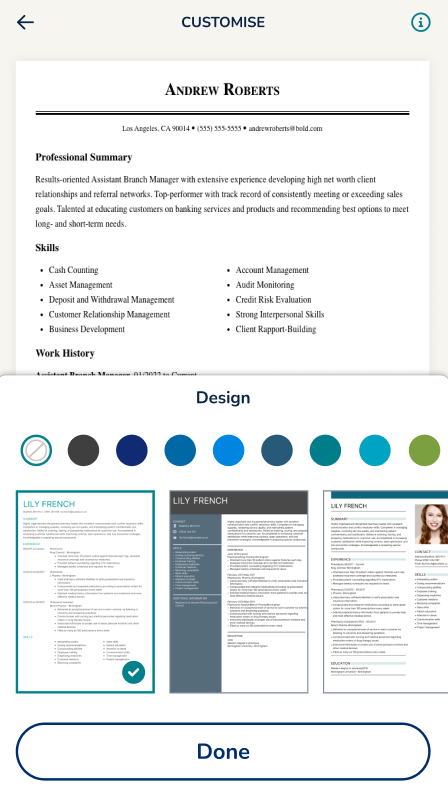
Mobile design customisation
Users can now fully customise the look and feel of their CV directly on mobile devices.
- Browse and switch between templates without leaving the finalise step.
- Change template colours and visual styles instantly.
- Preview design updates in real time while editing.
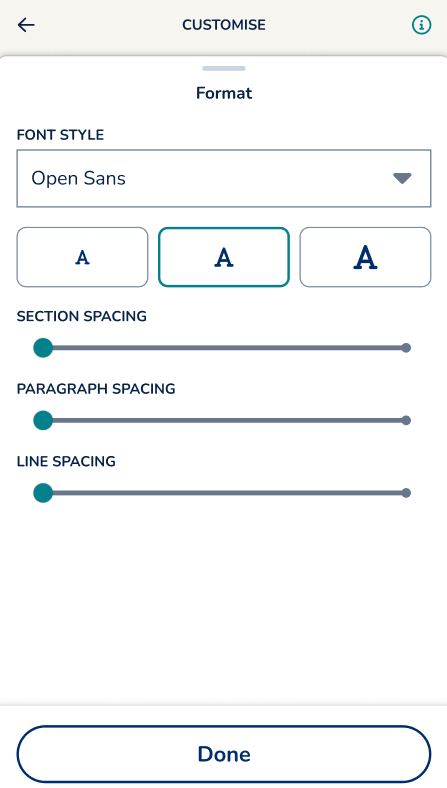
Advanced formatting controls
The mobile builder now includes deeper formatting controls previously limited to desktop.
- Adjust font styles and text sizing directly inside the editor.
- Control section spacing, paragraph spacing, and line spacing.
- Create a cleaner, more personalised CV layout from mobile.
Edit sections on mobile
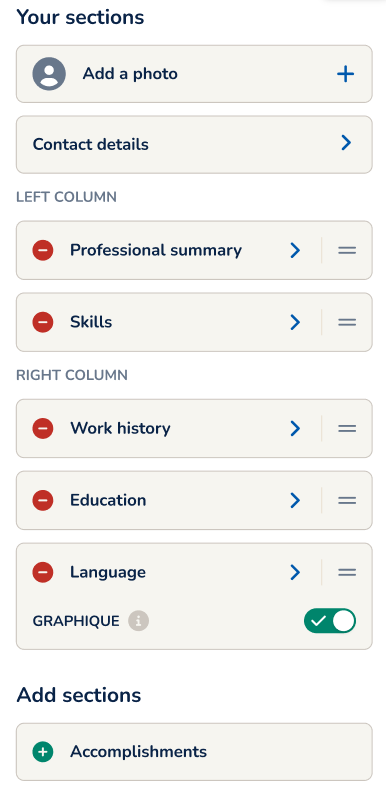
Managing CV sections is now easier and more flexible on smaller screens.
- Add, remove, and reorganise sections directly from the mobile editor.
- Move sections between the left and right columns in CV templates with this layout.
- Create custom sections with personalised titles.
Improved photo editing
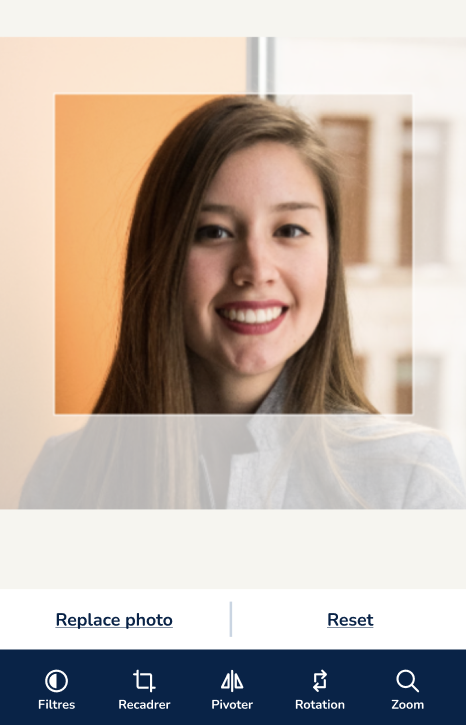
Users can now manage profile photos more effectively during mobile editing.
- Replace, crop, zoom, rotate, and reposition photos directly on mobile.
- Edit profile images without needing external apps.
- Preview changes instantly before saving.
Bringing desktop-level editing to mobile
Many users start and finish their CVs entirely from a phone. Previously, advanced design and formatting tools were mainly available only in the MyPerfectCV desktop builder. This update lets mobile users:
- Create more polished CVs directly from their phones.
- Personalise layouts without extra software.
- Make quick visual improvements before downloading.
- Enjoy a smoother and more flexible editing experience on the go.