
Smart CV Evaluation and Feedback
Upgrade your CV instantly. Get personalised feedback on strengths, missing details, and ATS compatibility right after upload. Build a stronger CV faster on desktop and mobile.

- Our customers have been hired by : *Foot Note
Uploading your CV just got a major upgrade.
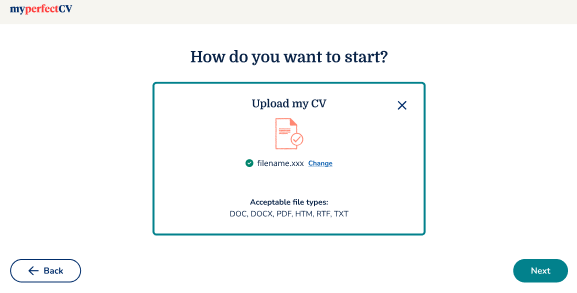
Our February 2025 release introduces instant CV evaluation inside the builder. Instead of simply transferring your information onto a template, the builder now reviews your CV as it uploads and gives personalised feedback on what’s working well and what could be improved.
The experience is available on both desktop and mobile when users choose the Upload a CV option.
What’s new
Here are the changes for this update:
Instant CV review during upload
As soon as a user uploads a CV, the builder now scans and evaluates the document automatically instead of simply transferring the content into a template.
- Users immediately receive feedback on what their CV already does well, helping create a more positive first impression.
- The builder identifies missing details, weak sections, and ATS-related issues before users start editing.
- The upload experience now acts as both a CV importer and a live CV review tool.
Upload flow with real-time analysis
The upload process now includes clearer progress states that explain what the builder is doing while reviewing the CV. This creates a smoother and more transparent experience during analysis.
- New loader messages include: “While we upload your CV…”, “Reviewing your CV…”, “Finding some great content…”, and “…and a few areas to improve”.
- The updated flow reassures users that the system is actively reviewing and improving their CV.
- The experience feels faster and more guided, especially for first-time users.
Smart CV feedback
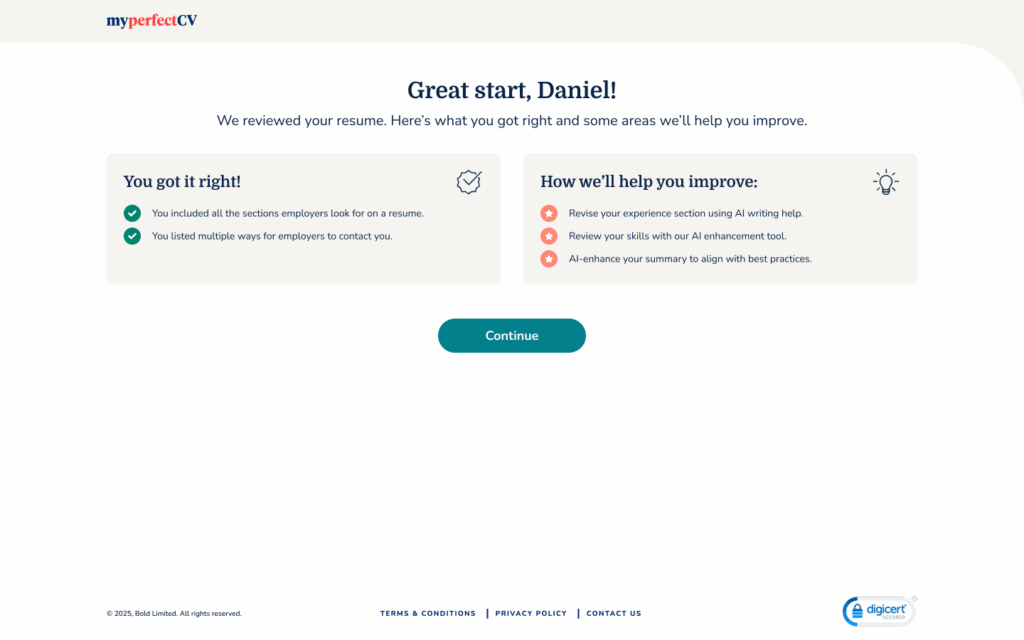
Once the upload is complete, users receive a personalised feedback screen showing both strengths and improvement opportunities.
- Positive feedback highlights strong CV sections such as complete contact details, strong skills coverage, or clear section structure.
- Constructive recommendations help users improve areas like missing education details, weak summaries, or limited skills sections.
- Feedback is designed to feel supportive and actionable rather than overly critical.
Standard section name suggestions
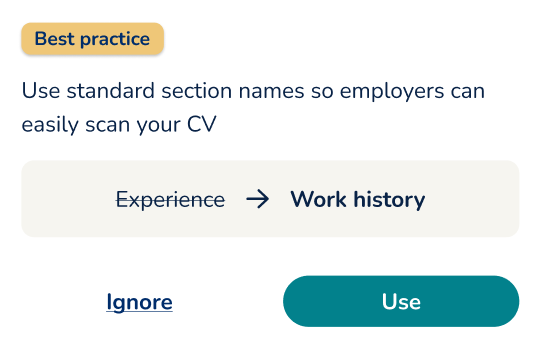
The builder now detects custom section titles that may reduce ATS readability or make a CV harder for recruiters to scan.
- Users receive recommendations to replace non-standard headings with recognised CV section names.
- Examples include changing “Experience” to “Work history” or “About Me” to “Professional summary”.
Designed for desktop and mobile
The upgraded upload and evaluation experience is fully available across desktop and mobile devices.
- Mobile layouts have been streamlined to keep feedback readable and easy to navigate.
- Users receive the same CV analysis and recommendations available on desktop.
Why we made this update
Many users upload a CV to make some quick improvements, not just convert it into a different template. On top of that, there are many users who want to see if the CV they wrote is up to the modern industry standard. This update helps all users, from first-time job seekers to experienced professionals returning to the job market:
- Understand what employers expect.
- Spot missing information quickly.
- Improve ATS compatibility.
- Build stronger CVs with less guesswork.
- Feel more confident before applying.
The result is a smarter upload flow that actively helps users create a better CV.