
How to Write a CV Using ChatGPT + Prompts
Build a professional CV in seconds using our chatgpt-cv-maker. Follow our expert prompts to create a standout application and land your dream job today.

Our customers have been hired by : *Foot Note
What is ChatGPT, and how can it help with CV writing?
ChatGPT is an AI language tool that can generate content based on prompts you provide. When it comes to writing your CV, you can use it to create professional summaries, list achievements, and even tailor your resume to a specific job, all in a matter of minutes.
Here’s how to write a CV using ChatGPT:
- Write from scratch – Start a CV when you’re unsure where to begin.
- Edit existing content – Improve grammar, clarity, and tone.
- Tailor to job ads – Customise your CV to match keywords and skills in the job description.
- Suggest content – Get ideas for bullet points, skills, and responsibilities.
- Rephrase and improve – Turn basic text into something more polished and professional.
So, can ChatGPT write a resume or CV for you? Yes, but it needs to be guided correctly. That’s where good prompts make all the difference.
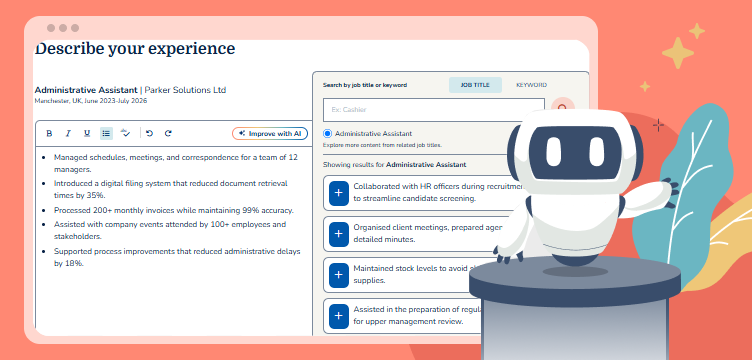
Smarter writing with built-in AI
Get instant, high-quality text suggestions tailored to your specific industry.
How to create a ChatGPT CV in 8 steps
ChatGPT can help you create a clear, confident CV quickly. But like any tool, it works best when you know how to use it. Follow these 8 simple steps to create your ChatGPT resume.
Start with a clear and detailed prompt
Before you ask ChatGPT to write any part of your CV, set the foundation with a clear instruction. Let it know that you’re building a CV from scratch and want to go section by section. Give context about the type of jobs you’re applying for, and whether to use British or American English.
This helps ChatGPT understand the overall goal and produce more tailored content with the correct CV formatting.
Example prompt to get started:
- “I want to create a professional CV step by step. I’m applying for graduate marketing roles in the UK. I’ll give you details about my background, and you can help me write each CV section one by one using British English.”
Other helpful prompts:
- “Help me build a CV for an entry-level software engineering role in London. I’ll provide my experience and skills. Please guide me through each CV section.”
- “I’m looking to create a CV for an admin assistant job. Use American English and ask me for the details you need, then help me write each part one at a time.”
Step 2: Share your background and career goals
Now that you’ve set the foundation, ChatGPT will need context to generate content that reflects who you are and what you’re aiming for. Provide a brief summary of your background, work experience, and education.
You don’t need to write it perfectly, just be honest and clear. ChatGPT will refine it and shape it into something professional.
Example prompts:
- “Here’s some background information to help you build my CV: I’ve just finished a degree in business management. I’ve done a summer internship in retail and part-time work in customer service.”
- “I’m a recent graduate with a degree in Psychology, looking to start a career in HR. I’ve done some volunteering at a local charity, helping with admin and recruitment.”
Write a personal statement
A personal statement (also called a CV summary) is a short paragraph at the top of your CV that introduces who you are and what you offer.
Once you’ve given ChatGPT your background, you can ask it to create your opening CV statement.
Example prompts:
- “Using the background I shared, write a personal statement for a graduate applying for sales roles. Keep it professional and concise, and write it in the third-person.”
- “Write a CV personal statement based on this information. The tone should be confident and clear, and around 3–4 sentences maximum.”
Build your work experience section
This is where you list your work history, whether that’s past jobs, internships, or voluntary roles. For each entry, include your job title, company, dates, and key achievements. If you’re new to the workforce, part-time roles and university placements still count.
ChatGPT can help format this information and turn simple tasks into strong, professional bullet points.
Example prompts:
- “Create a CV work experience section based on my work history: Retail Assistant at Primark, July–Sept 2023. Helped customers, handled tills, managed stock. I want it to sound more professional with 5–6 bullet points.”
- “Make this sound more results-focused and suitable for a CV: I worked part-time in a café (café name) where I served customers and worked on the till.”
Tip: Try to include numbers where possible. Metrics like “served 50+ customers daily” or “reduced stock loss by 10%” help demonstrate your impact more clearly.
Add your education
List your most recent qualifications first. The CV education section usually includes your degree (or A-levels if you don’t have a degree), the institution, dates, and any achievements.
Example prompts:
- “Write the education section for my CV. I studied BA (Hons) Marketing at the University of Leeds from 2020 to 2023. Include relevant modules like digital marketing, branding, and analytics.”
- “Help me write the education part of my CV. I’ve just finished A-levels in English, Psychology, and Sociology.”
List your skills
The CV skills section should include a mix of technical skills and soft skills that relate to the job you’re applying for. Be specific where possible.
You can also ask ChatGPT to suggest relevant skills based on your job target.
Example prompts:
- “Suggest 10 relevant CV skills for a graduate applying to digital marketing jobs.”
- “Based on my retail and customer service background, what transferable skills should I add to my CV?”
- “Add 10 skills in short bullet point format based on my previous work experience and education.”
Tailor your CV to the job description
This is one of the most important steps; tailoring your CV for each job makes a huge difference. Share the job ad or paste parts of the job description into ChatGPT. Ask it to identify keywords and adapt your content to match them.
Example prompts:
- “Here’s a job description. Can you highlight the key skills and keywords to include in my CV?”
- “Based on this job advert, rewrite my personal statement to better match the role.”
Tip: Only include skills and experience you genuinely have. Tailoring doesn’t mean copying. Make sure everything in your CV is accurate and reflects what you can actually bring to the role.
Check spelling, grammar and tone
Ask ChatGPT to proofread your final CV. It can help correct grammar issues, improve clarity, and suggest a more professional tone where needed.
Example prompts:
- “Check my CV for spelling and grammar. Make the tone more confident and suitable for a recent graduate.”
- “Here’s my final CV text. Can you proofread and make it sound polished for a UK job application?”
How to improve your CV using ChatGPT
If you already have a CV, you can use specific prompts to refine and strengthen it. The more targeted your instructions, the more useful ChatGPT’s suggestions will be. A good approach is to share both your current CV and the job description or role requirements. This helps ChatGPT tailor your content more effectively, ensuring it focuses on what employers are looking for. You can also use example CVs as a template for ChatGPT.
Once you’ve pasted in your CV, try prompts like these:
Tailor to a specific job
“I’m applying for a [job title]. Can you help update my CV so it better matches the job description?”
Customise for your industry
“Rewrite my CV to be more suitable for the [industry name], using appropriate terminology and highlighting relevant experience.”
Emphasise specific skills
“Can you help highlight my [specific type of skills] across my past two roles and suggest strong examples to include?”
Add achievements and metrics
“I want to include more measurable results in my CV. Based on this experience, what metrics or outcomes could I add?”
Optimise your CV for the specific job requirements
“Update key sections of my CV so it’s better matches these job requirements [paste job requirements]”
Tip: The more details you give ChatGPT, such as your latest CV, a job advert, or a list of your duties, the better the results.
Should you use a ChatGPT CV?
Using ChatGPT to write your CV can be a smart first step. It’s quick, accessible, and helpful when you’re not sure where to start. But is it enough on its own?
What ChatGPT does well:
Structures your CV with clear, logical sections
Suggests professional language and action verbs
Helps identify relevant keywords from job descriptions
Can offer tailored suggestions based on roles and industries
Where it falls short:
Can sound too generic if your prompts aren’t specific
Doesn’t always align with what recruiters look for
Won’t format your CV for Applicant Tracking Systems (ATS)
Can include content that overstates your experience if not edited carefully
Lacks visual design or export-ready formatting
ChatGPT is a helpful writing assistant, but it’s not a full CV solution on its own. That’s where a professional CV builder comes in.
Why a CV builder is a better option
While ChatGPT is good for generating ideas and drafting content, it doesn’t give you a 100% finished, job-ready CV. You still need to think about layout, formatting, structure, and whether it will pass through Applicant Tracking Systems (ATS).
That’s where a professional CV builder comes in.
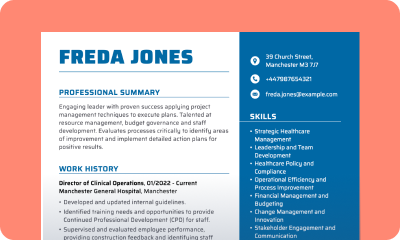
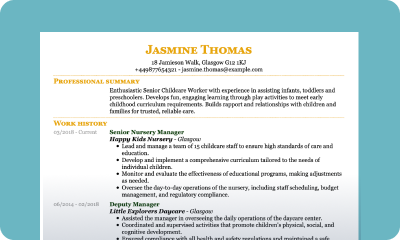
Our CV builder combines the speed and ease of AI-generated content with professionally designed templates and recruiter-friendly formatting. It’s built specifically to help job seekers create CVs that get noticed.
Here’s what you get with our builder:
Professional CV templates — Designed with recruiters in mind
ATS-optimised formatting — Ensures your CV makes it through automated screening tools
Built-in writing tips — Guidance at every step to help you write quickly and effectively
Customisation options — Easily tailor your CV for different jobs
Instant export options — Download your CV in PDF, Word, or text format in just a click
If you want to go from draft to application-ready without worrying about formatting or layout, our CV maker is the faster, smarter choice.
Frequently Asked Questions about ChatGPT CVs
Can ChatGPT write a CV for me?
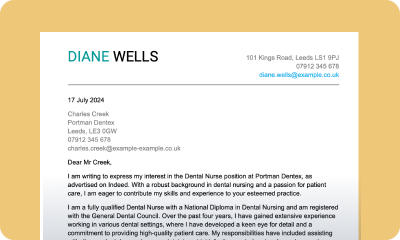
Yes, ChatGPT can help you write a CV by generating sections like your personal statement, work experience, and skills based on the details you provide. You can also you ChatGPT to write a cover letter.
Is using an AI CV writer a good idea?
AI CV writers like ChatGPT can be a great starting point. They’re useful for structuring your CV, generating content, and tailoring it to a specific job. However, the best results come when you combine AI tools with your own input, edits, and personal touches.
Can ChatGPT format my CV for ATS?
No. ChatGPT focuses on content, not formatting. It won’t ensure your CV passes Applicant Tracking Systems. For ATS-friendly formatting, it’s better to use a dedicated CV builder.
Is a ChatGPT CV the same as using a CV builder?
Not quite. ChatGPT helps you write content, but you still need to design and format the CV yourself. A CV builder offers pre-made templates, export options, and formatting that make the process much easier and more professional.
Do employers know if I used ChatGPT for my CV?
Not directly, but if your CV sounds generic or overly vague, employers may suspect it was written by AI. That’s why it’s important to personalise everything ChatGPT generates. Add your own details, tweak the language, and make sure it reflects your real experience and personality.
Key Takeaways
- ChatGPT is a helpful tool for writing and refining your CV, especially if you’re starting from scratch.
- Use detailed prompts and job descriptions to get the most out of it.
- While ChatGPT helps with writing, it doesn’t handle formatting, ATS optimisation, or visual layout.
Andrew Smith
Senior Content Writer
Meet Andrew Smith – an accomplished English copywriter with a strong background in SEO optimisation. Passionate about producing engaging content, Andrew has written across various fields, including health and fitness, security, travel, and tourism.



*The names and logos of the companies referred to above are all trademarks of their respective holders. Unless specifically stated otherwise, such references are not intended to imply any affiliation or association with myperfectCV.