Master Your Video Interview: Tips for Every Stage
Video interviews are now common in remote recruitment. They require different preparation than in-person meetings. Explore these tips to master your next online interview.

Our customers have been hired by : *Foot Note
In this comprehensive guide, I’ll explain what a video interview is and the various types you may come across. You’ll also discover how to prepare effectively before the call, conduct the interview confidently, and follow up professionally afterwards.
What is a video interview?
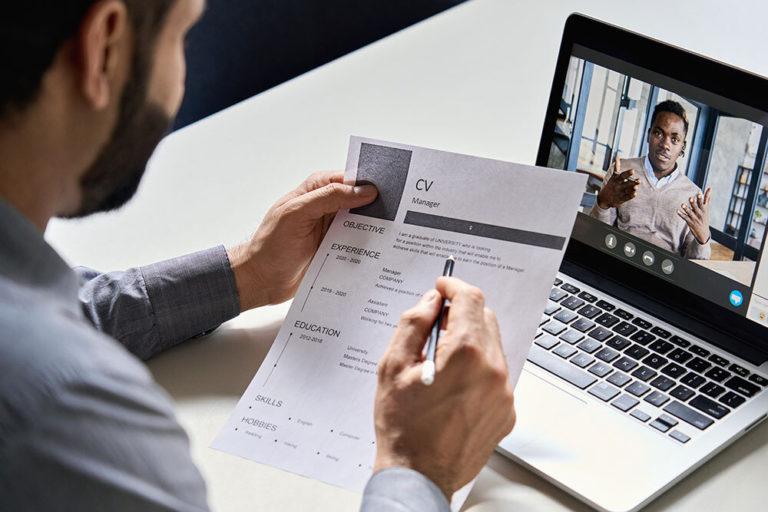
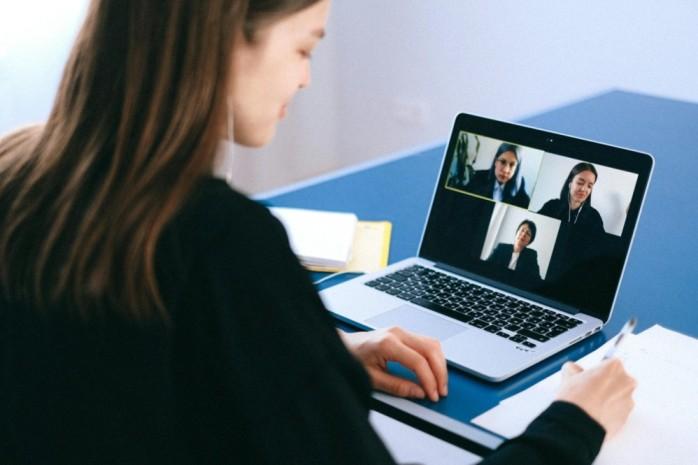
A video interview is a remote job interview conducted via video conferencing platforms like Zoom or Microsoft Teams, or specialised online services. This approach allows candidates and employers to connect from different locations and is often used instead of initial phone screening interviews, saving time for both parties.
There are two main types of video interviews:
- Live video interviews are conducted in real time via a video call, similar to a face-to-face meeting, using platforms such as Zoom, Google Meet, or Skype.
- Pre-recorded (one-way) video interviews are often used early in the hiring process: candidates record answers to a set of questions at their own pace, and employers review the responses later. One-way video platforms typically impose time limits for each answer and may allow practice runs before recording.
How to prepare for a video interview
Preparing for an interview helps you avoid distractions and present yourself confidently. In addition to practising answers, consider your technology, environment, and mindset.
These practical tips focus on steps you can take before the interview to ensure everything runs smoothly and that you feel prepared when the camera is on:
Tip 1: Test your technology early
Before your interview, test your internet connection, webcam, microphone, and interview platform. Ensure all software is up to date and that you know how to join the call. Check audio quality, camera angle, and lighting. On the day, log in 5–10 minutes early to verify everything is functioning. Testing in advance reduces stress and prevents technical issues from disrupting your interview performance.
Tip 2: Set up a quiet, well-lit space
Choose a quiet room where interruptions are unlikely. Inform others in your household of the interview time and that notifications will be silenced. Position yourself facing natural light or a lamp so your face is clearly visible. Keep your background tidy and neutral. A calm, well-lit environment helps interviewers focus on your answers rather than visual or audio distractions.
Tip 3: Dress professionally for the camera
Wear professional job interview clothing, the same as for an in-person interview. Neutral colours work best on camera, while busy patterns can be distracting. Dress fully, not just from the waist up, in case you need to stand or adjust your setup. Professional attire helps create a strong first impression and puts you in the right mindset for a formal interview.
Tip 4: Research the company and the interviewer
Research the company’s values, role requirements, and recent news to tailor your responses. If the interviewer’s name is provided, review their professional background on LinkedIn. This preparation enables you to provide relevant examples, demonstrate genuine interest, and ask informed questions, showing that you have taken the interview seriously and understand the organisation.
Tip 5: Prepare notes, but don’t read from them
Having brief notes nearby is acceptable in a video interview, but they should support your answers, not replace them. Use bullet points rather than full scripts and place notes close to the camera to prevent obvious eye movement. Reading directly from notes can seem disengaged, while subtle reference points help you stay focused and confident. Keep your CV at hand, too, so you can quickly check dates and other specifics.
Video interview tips: during the interview
During a video interview, your communication style, body language, and focus are just as important as your answers. Because interaction occurs through a screen, small details can have a significant impact.
These tips will help you remain professional, engaged, and clear throughout the interview:
Maintain eye contact and posture
Look into the camera when speaking to mimic eye contact rather than watching yourself or the screen. Sit upright with relaxed shoulders and keep your face centred in the frame. Good posture conveys confidence and attentiveness, while maintaining consistent eye contact helps build rapport and keeps the interviewer engaged, even in a virtual format.
Speak clearly and pause between thoughts
Speak slightly slower than usual and enunciate clearly to compensate for potential audio delays. Pause briefly after the interviewer finishes speaking to avoid interrupting them. Clear, well-paced responses are easier to follow on video and help ensure your key points are understood, particularly if the connection isn’t perfectly steady.
Show engagement with body language
Use facial expressions, nod occasionally, and smile naturally to display interest and enthusiasm. Moderate hand gestures can help emphasise points, but keep them within the camera frame. Visual engagement helps replace in-person cues and shows you’re actively listening, not just waiting to speak, which leaves a stronger impression.
Manage your on-screen presence
Avoid fidgeting, swivelling in your chair, or leaning too close to the camera. Stay visually present even when listening, and resist checking other screens or notifications. Remaining still but attentive helps you appear focused and professional, reinforcing your interest in the role and respect for the interviewer’s time.
Handle technical issues calmly
If technical issues arise, acknowledge them politely and request clarification as needed. Stay calm and professional rather than apologising excessively. If possible, agree on a backup option, such as continuing by phone. Your response to issues can demonstrate adaptability and problem-solving skills, which employers value highly.
Video interview tips: what to do after the video interview
The interview doesn’t end when the call finishes. Following up appropriately and managing the waiting period can reinforce your professionalism and keep your application moving forward.
These steps help maintain a positive impression while you await the employer’s decision:
Send a professional thank-you email
Send a brief thank-you email within 24 hours of the interview. Thank the interviewer for their time, mention something discussed, and briefly restate your interest in the role. This follow-up demonstrates professionalism, appreciation, and enthusiasm, helping you stand out among other candidates who may not follow up.
Be patient while waiting
Hiring decisions often take longer than anticipated, especially when multiple candidates are involved. Avoid contacting the employer too early unless a specified timeline has passed. Use this period to reflect on the interview and prepare for possible next steps rather than overanalysing your performance or sending repeated follow-ups.
Follow up if you don’t hear back
If the expected response time has passed, send a courteous follow-up email. Keep it concise, professional, and positive, asking if there are any updates and reaffirming your interest in the role. One well-timed follow-up shows initiative without seeming impatient or pushy.
Continue your job search
Until you receive a formal job offer, keep applying and interviewing elsewhere. Maintaining momentum in your job search reduces pressure and ensures you don’t miss other opportunities. Employers expect candidates to explore multiple options, and remaining active helps you make informed decisions if offers come in.
Pros and cons of video interviewing
Video interviews have become a fundamental element of modern recruitment, providing speed, flexibility, and broader access to talent. However, their effectiveness relies on how carefully they are implemented. Recognising both the advantages and limitations of video interviewing allows employers to develop fairer, more engaging processes, while helping candidates prepare confidently.
Pros
- Faster hiring timelines: Video interviews eliminate travel and coordination delays, enabling recruiters to screen candidates much faster.
- Greater scheduling freedom: Candidates can interview at a time that suits them, making the process more flexible across different time zones and busy schedules.
- Cost-efficient for employers and candidates: Organisations save on travel, accommodation, and venue costs, while candidates avoid expenses and time off associated with in-person interviews.
- More consistent and structured evaluations: Using standardised questions, especially in one-way interviews, helps ensure candidates are assessed against the same criteria, supporting fairer comparisons.
- Broader and more diverse talent reach: Video interviewing broadens opportunities for remote and international candidates, expanding the talent pool beyond geographic limitations.
- Scales easily for high-volume hiring: Employers can interview numerous applicants without the logistical burden of booking rooms or organising multiple interviewers.
- Improved accessibility and inclusion: Candidates facing mobility issues, caregiving duties, or location restrictions can participate more easily in the hiring process.
Cons
- Reduced personal connection: Digital interactions can seem impersonal, making it more difficult to establish rapport and fully grasp a candidate’s personality and motivation.
- Limited non-verbal communication: Body language, subtle cues, and interpersonal chemistry are harder to interpret on screen, which may impact interview quality.
- Technology barriers for some candidates: Individuals who are less comfortable with digital tools or lack access to suitable equipment may feel at a disadvantage.
- Reliance on the internet and technical quality: Poor connectivity, audio issues, or platform glitches can disrupt interviews and result in an inconsistent experience.
- Lower engagement in one-way formats: Pre-recorded interviews can seem isolating or one-sided to candidates, lowering enthusiasm and limiting chances for real-time interaction.
- Risk of over-standardisation: While consistency is an advantage, excessively strict formats can restrict spontaneity and hinder candidates from displaying their unique strengths.
Video interviews have become a permanent part of the hiring process. It’s important that you understand how to impress your potential employer on camera. Through comprehensive preparation, a professional setup, confident communication, and effective follow-up, you can make a strong impression in any video interview. With the video tips above, you’ll easily succeed. Good luck!
Mariusz Wawrzyniak
Senior Content Writer
Mariusz is a career expert at My Perfect CV who writes practical, research-based guides that help professionals from all industries craft impactful CVs, write compelling cover letters, and advance their careers.